Prisma uses the cameras your store already has and turns them into numbers: how many people come in, how long they wait, what they look at and how many leave without being served. No recording and no identifying anyone.
WhatsApp · PrismanowPrisma: someone in line has been waiting for 7 minutes. Open another station?
Why Prisma
Online stores know everything.Physical ones, almost nothing.
An online store knows who came in, what they looked at and at which step they left. The same happens in a store every day, but nobody writes it down: it stays in the memory of whoever is at the counter.
01
How many people came in today?
And when the store fills up, day by day, so you can put your staff where they are needed.
02
How long did they wait?
How long it took to serve them and when the line grew longer than it should.
03
How many left without being served?
The ones who got tired of waiting. It is the sale that never shows up at the register.
What it does
Everything that happens in the store,in one panel
Hover over each card to see the real panel.Tap each card to see the real panel.
Instant alerts
If a line builds up or a station is left empty, you know right away
Prisma alerts whoever you choose on WhatsApp or Telegram. Whoever is at the office or in another store finds out before the customer leaves.
Example · your WhatsApp
Prisma · 11:42Prisma · Downtown: 6 people are waiting in line. Open another station?
Prisma · 13:05Prisma · Downtown: Desk 2 has nobody serving and people are waiting (for 4 min).
You · 13:06who is in the store right now?
Assistant · 13:06There are 9 people inside and 3 waiting. Desks 1 and 3 are serving.
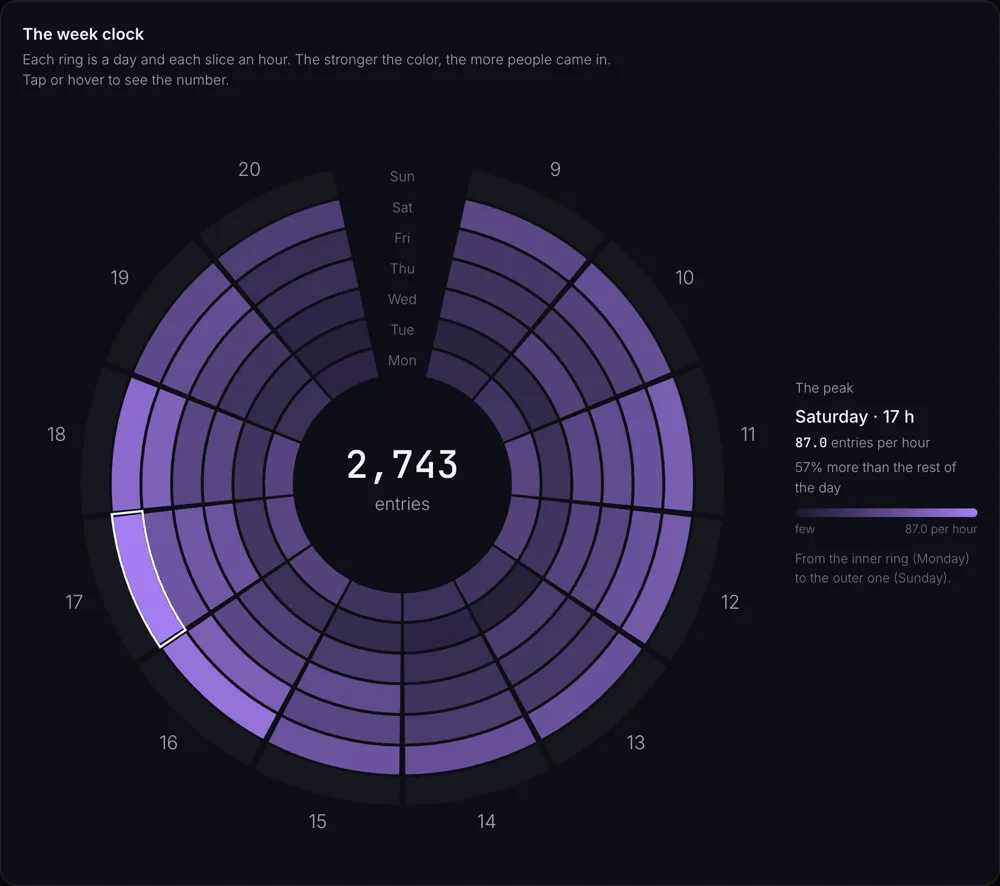
The week clock
When the store fills up, every day
Each ring is a day and each slice an hour. Use it to plan shifts and lunch breaks.
Prisma panel · Analysis
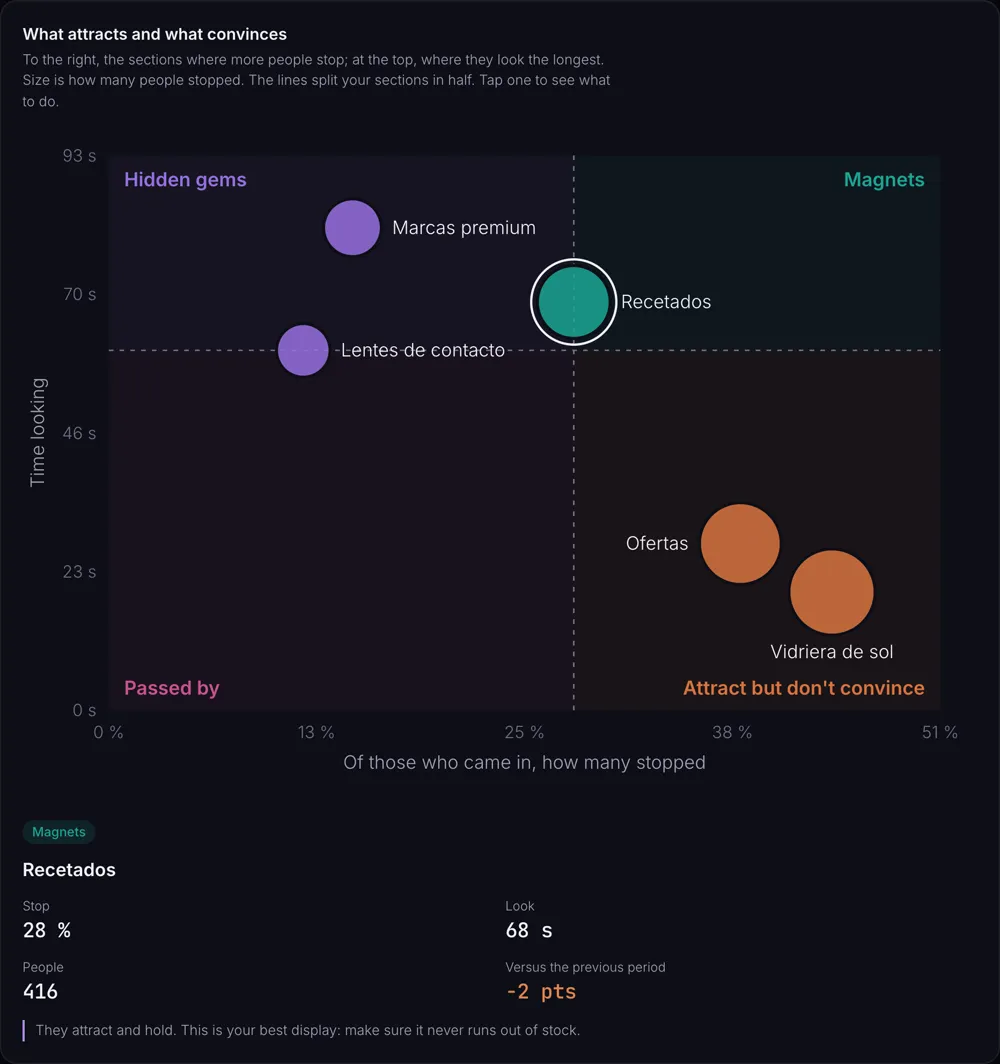
Sections
Which display attracts and which one converts
Where people stop and how long they keep looking. Prisma tells you what to do with each section.
Prisma panel · Sections
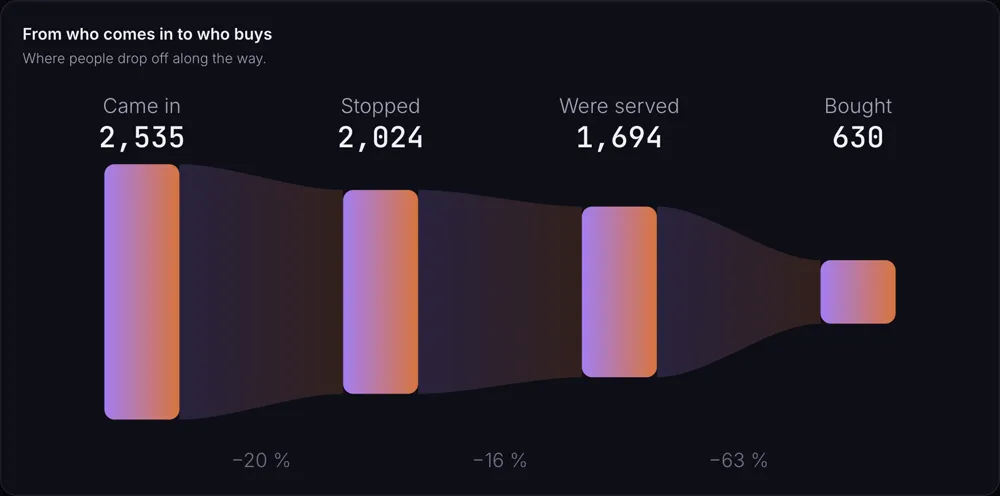
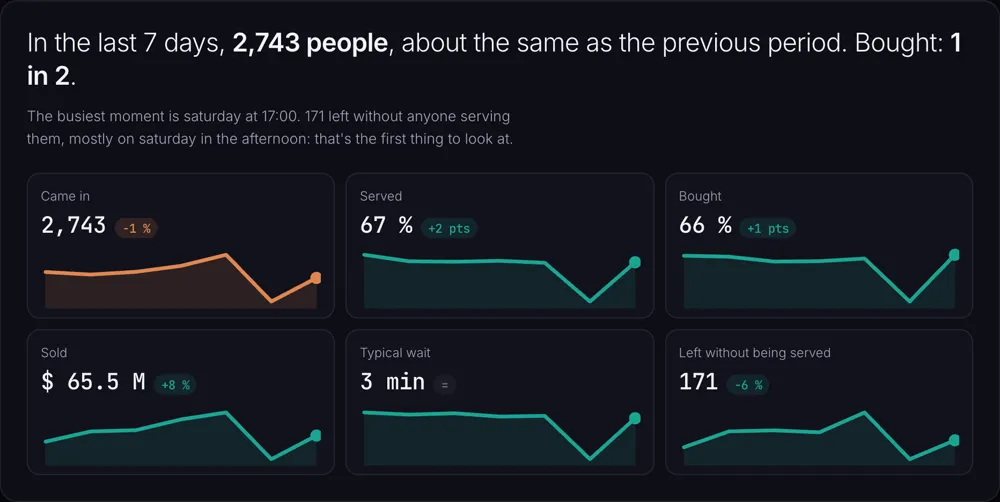
From walk-in to purchase
How many came in and how many bought
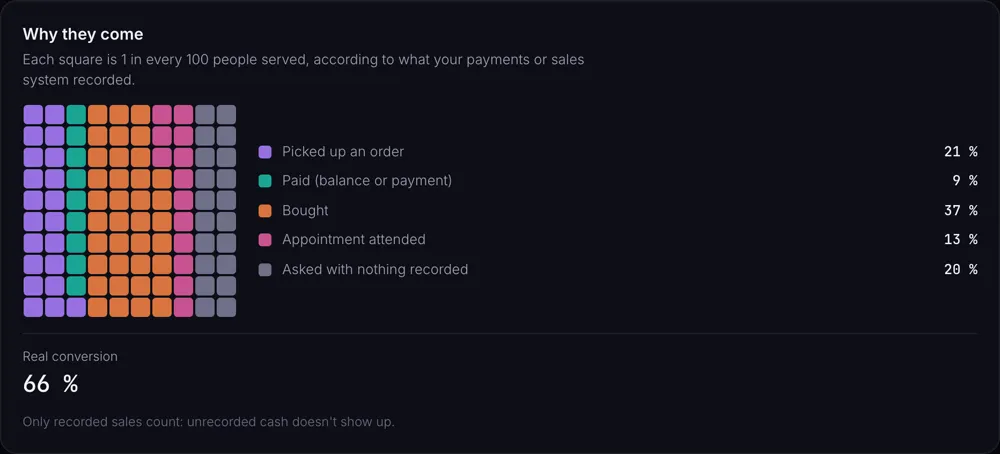
If you connect your payment system (Mercado Pago, your online store), Prisma matches each sale with the visit and shows you where people drop off.
Prisma panel · Summary
Stations
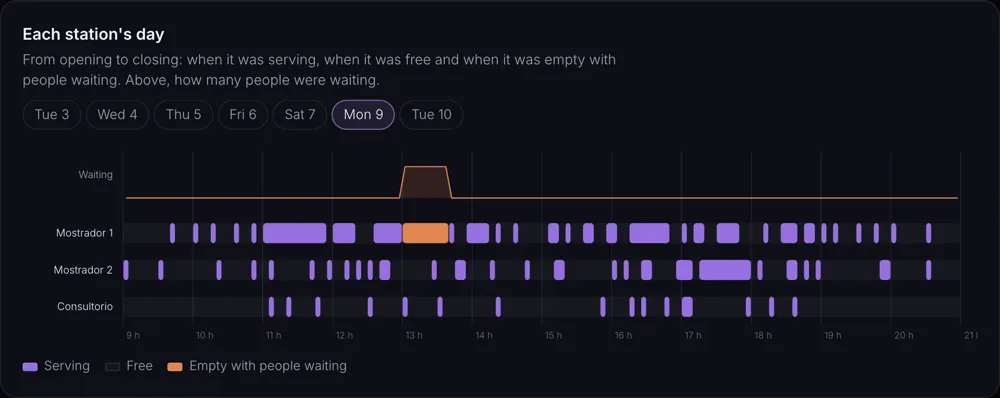
Each station's day
When it was serving, when it was free and when it was empty with people waiting.
Prisma panel · Stations
Waiting
How long people wait
The typical wait, the longest one and how many left without being served.
Prisma panel · Summary
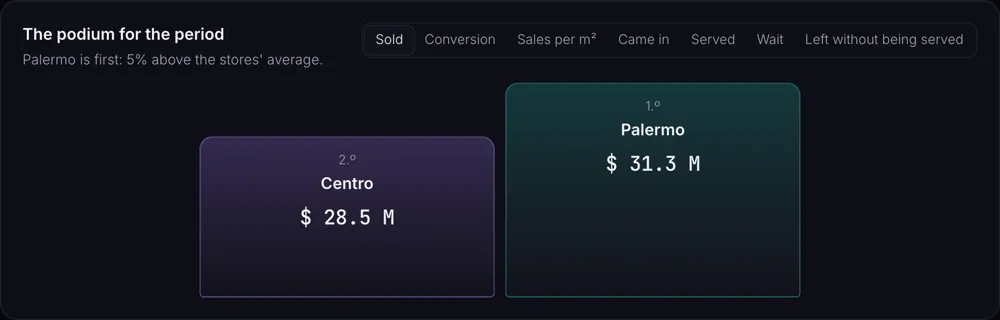
Multiple stores
Your stores, side by side
Which one sells more, which converts better and where people wait longest. Each manager sees only their store.
Prisma panel · Compare stores
Your assistant
Ask it how the store did
On WhatsApp, Telegram or by voice, without opening the panel.
Example · your WhatsApp
Youhow did the store do on Saturday?
Assistant312 people came in. The peak was at 11, with up to 5 waiting, and 9 left without being served.
The Monday summary
Your week in the store
How the week went and what to look at
Every Monday you get a summary of each store, with what changed and what is worth reviewing.
Example · Monday morning
Came in1,284 · 6% more than the previous week
Typical wait3 min · reached 9 on Saturday at 11
Not served41 · almost all between 1 and 2 pm
Worth a lookthe new window display attracts, but few buy
The screenshots are from the Prisma panel with a sample store.
How it works
With the cameras you already have,no construction
Video never leaves the store. What reaches VURAOS are numbers: how many came in, how long they waited, where they went.
Your cameras
The security cameras your store already has: IP cameras or a recorder. In the panel you mark the entrance, the line, the stations and the sections.
A device in the store counts
A computer in the store, or a small device we install, watches the video and counts people. It stores no images and recognizes no one.
The numbers, in VURAOS
In the panel, in instant alerts, in the Monday summary and in your assistant's answers.
Privacy
No recording. No identifying anyone.
Prisma counts people and times. It does not know who anyone is, and it does not need to.
Video never leaves the storeEach frame is analyzed on the spot and discarded. Nothing is recorded.
No face recognitionNo biometrics. Each visit is anonymous: a number that changes every day.
Your staff are not counted as customersThey are told apart by the station where they work, not by who they are.
Only numbers reach VURAOSNever an image.
For your business
It speaks likeyour business
A desk, a counter or a fitting room: the panel uses your store's words.
Optician
DesksHow long each consultation lasts and how many leave before sitting down.
DisplaysWhich frames people look at most and whether they buy afterwards.
PickupsPeople coming to collect their glasses, separate from sales.
LineHow many wait, for how long and at what time. Alert if it grows.
StationsWhen a counter is left empty with people waiting.
PickupsOnline store orders that customers come to collect.
WalkoutsThose who leave without being served.
Clothing and accessories
WindowHow many come in out of those who pass the door.
Racks and tablesWhich section attracts and which one converts.
Fitting roomsHow many people use them and when.
RegisterThe line at the register and how many of those who come in buy.
Clinic, practice and beauty
ReceptionHow long it takes to attend to whoever arrives.
Waiting roomHow long they wait until the appointment.
RoomsWhen they are busy and when they are free.
AppointmentsMatched with the calendar, with no patient data.
In one minute
Watch Prismain action
Pricing
Included fromthe Growth plan
Growth and Scale
Included
Prisma comes with the plan, for all your stores.
Starter
US$49 per store, per month
Added as an add-on when you connect your first store.
If the store has no computer that stays on, the device and installation are quoted separately. See all plans
Frequently asked questions
What peopleusually ask
Do I need new cameras?
Usually not. IP cameras and security recorders that can send video over the store network work, and most can. Some very cheap Wi-Fi cameras that only work with their own app do not allow it: in that case we tell you what to get.
Is video recorded or stored?
No. Video is analyzed in the store, on the spot, and discarded. Only numbers reach VURAOS: how many came in, how long they waited, which areas they went through.
Does it recognize faces or identify people?
No. Prisma uses no face recognition and no biometrics. Each visit is anonymous and there is no way to know who it is.
Does it count my staff as customers?
No. Your team is told apart by the station where they work (behind the counter, at the desk), not by who they are.
How does it know if someone bought?
It does not guess from the camera: it matches it with your payment system. If you connect Mercado Pago or your online store to VURAOS, each sale is assigned to the visit that was at the station at that moment.
Does it work if I have several stores?
Yes. You see them side by side, each with its own model, and you can give each manager access to their store only.
How much does it cost?
It is included in the Growth and Scale plans. On Starter it is an add-on of US$49 per store per month. If the store has no computer that stays on, the device and installation are quoted separately.
How many left todaywithout being served?
With Prisma you know the same day, and next time it alerts you before it happens.
We use essential cookies for site functionality and analytics cookies to improve your experience.
By continuing to browse, you accept their use. Learn more →